In today’s fast-moving and demanding environments, reliability isn’t optional, it’s essential. That’s where the MT620GR stands out. The MT620GR delivers consistent performance, durability, and efficiency for professionals who need equipment they can trust every day.

MT620GR vs MT610G

The MT620GR and MT610G both deliver trusted satellite communication performance, but the MT620GR introduces advanced connectivity features designed to improve user confidence, situational awareness, and ease of use.

The MT620GR supports Return Link Service (RLS) gives you clear confirmation that your emergency messages have been received. With GME Accusat Connect App compatibility on both Android and iPhone, users can easily manage settings and monitor device status via their smartphone.

Additional technologies such as Near Field Communication (NFC) and an integrated GNSS receiver enhance usability and location accuracy, making the MT620GR ideal for users who require advanced functionality and reassurance in critical situations.

The MT610G, by comparison, focuses on essential satellite communication, offering a reliable and straightforward solution without the added connectivity features.

Closer Look on the Added Features

Return Link Service (RLS)

In an emergency, uncertainty can be just as frightening as the situation itself. When you activate your beacon, you place your trust in the global search and rescue satellite system—but without confirmation, you must wait and hope responders have received your signal.

This is where Return Link Service (RLS) makes a critical difference.

Once your beacon is activated and the distress signal is detected by a search and rescue satellite, the system sends a response back to your device. In that moment, the beacon’s indicator changes from a double flash and double beep to a single flash and single beep, a simple signal that carries enormous meaning.

  • It confirms that responders have heard your call for help.
  • It confirms that responders have received your location.
  • And most importantly, it confirms that help is on the way.

It confirms that responders have heard your call for help. It confirms that responders have heard your call for help.

Research consistently shows that survival rates increase when people in distress know rescue efforts are underway. By removing doubt and providing reassurance at a critical time, RLS helps reduce anxiety and gives users the confidence to stay focused and calm while waiting for rescue.

Accusat Connect App

Long before an emergency ever happens, confidence starts with preparation.

With older personal locator beacons, testing relied on memory, remembering when you last performed a self-test or whether you checked the GPS before your last major trip. It was easy to forget, and easy to second-guess yourself later.

The Accusat Connect App changes that experience completely.

Using Near Field Communication (NFC), similar to tap-and-pay on your smartphone, the beacon connects instantly to the app on your Android or iPhone. With a simple tap, the app records every self-test and GNSS test, creating a clear, automatic history specific to your beacon.

If you ever wonder when you last tested it, the answer is already there. Just open the app and review the log, no guesswork, no uncertainty.

Thanks to the integrated Global Navigation Satellite System (GNSS), the app also records where GNSS tests were performed, giving you added confidence that your beacon’s location capabilities are working exactly as they should.

It’s a small interaction that delivers something much bigger: the peace of mind that your beacon is ready, tested, and reliable before you ever need to rely on it.

Is It Worth the Upgrade?

So, is the MT620GR worth upgrading to? And should you spend more on the latest version?

If your priority is simply having a basic emergency beacon, the earlier model will still perform its core function. But if you value certainty, reassurance, and modern connectivity, the MT620GR offers meaningful advantages that go far beyond incremental improvements.

Features like Return Link Service (RLS) remove the uncertainty of not knowing whether your distress signal has been received. The Accusat Connect App, combined with NFC and integrated GNSS, takes the guesswork out of testing and readiness, ensuring your beacon is always prepared before you need it.

In an emergency, small details matter. Knowing your signal has been received, knowing your location data is accurate, and knowing your device is properly tested can make a real difference, not just technically, but emotionally.

When it comes to personal safety, the question isn’t always about cost. It’s about confidence.

And for many users, that peace of mind makes the upgrade well worth it.

Proudly Australian Made
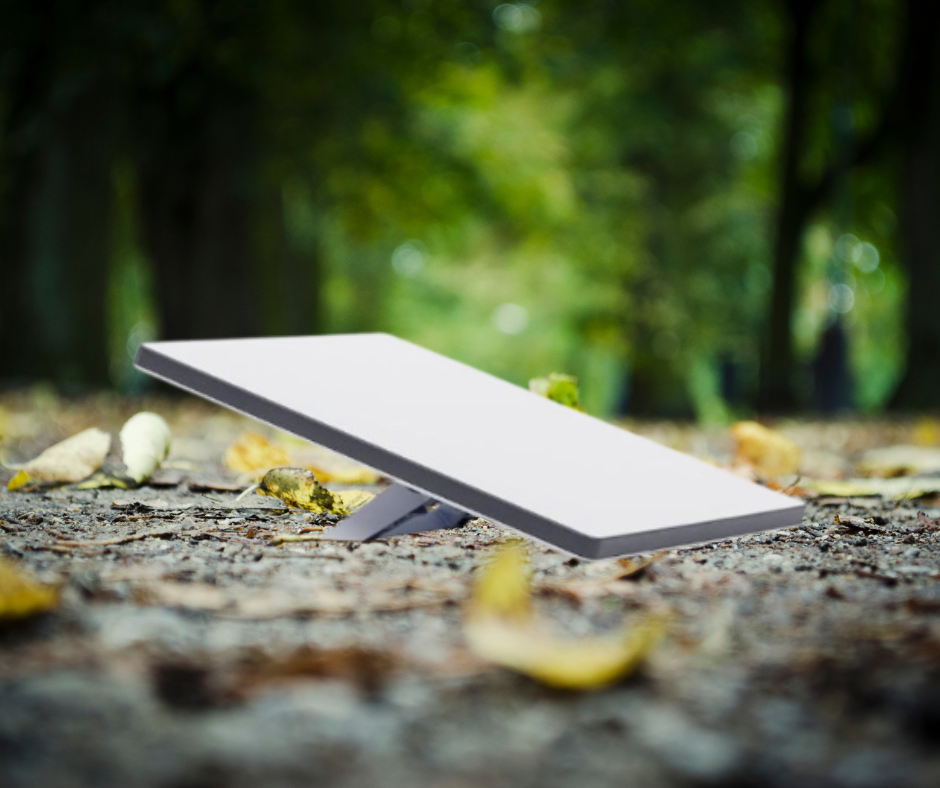

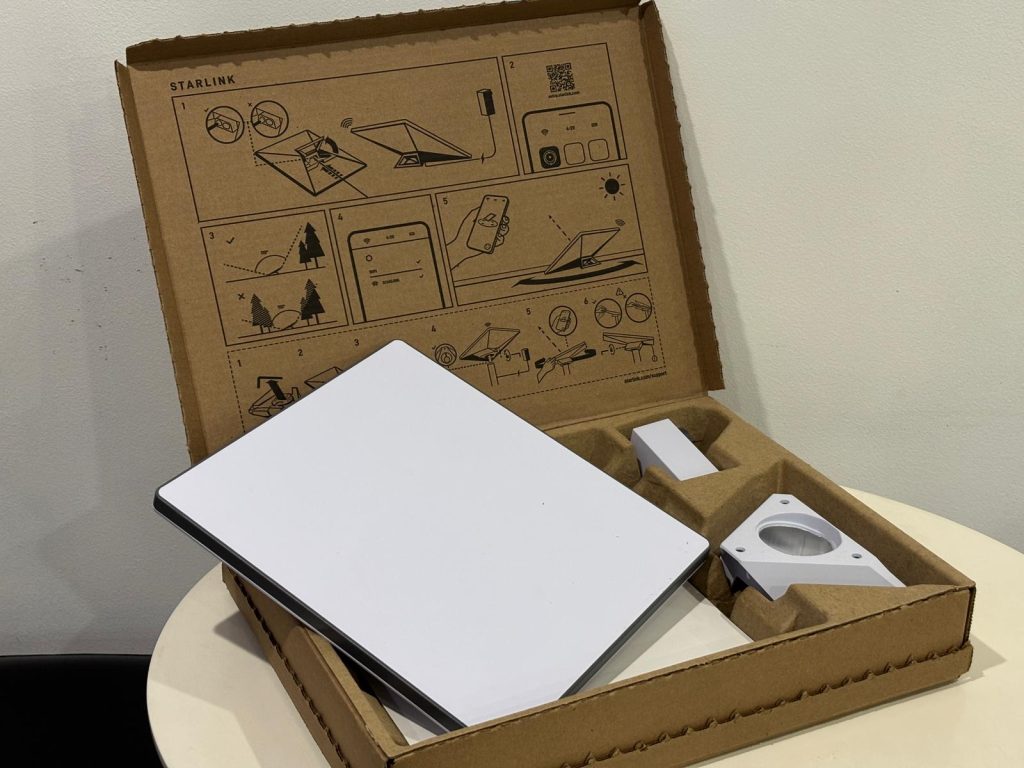
Picture this: you’re camped out under the stars, the nearest phone tower is hundreds of kilometres away, and your mates reckon you’ve dropped off the face of the earth. But instead of going offline, you pull out your Starlink Mini, switch it on, and boom! You’ve got fast internet in the middle of nowhere.

That’s the magic of Starlink Mini: a small, portable satellite internet system that’s perfect for travellers, campers, 4WD adventurers, and anyone living off the grid.

What Is Starlink Mini?

Starlink Mini is the compact, travel-ready version of the well-known Starlink satellite internet. It connects to the same SpaceX satellite constellation but comes in a much smaller package. Think laptop-sized dish, lightweight gear, and a setup so simple you’ll be online before the billy has boiled.

Starlink Mini specs at a glance:

  • Size: About the size of a laptop (fits in a backpack)
  • Weight: Around 1.1kg (lighter than your camping stove)
  • Power draw: Roughly 20–40 watts (easy to run off solar or a 12V setup)
  • Speed: 50–100 Mbps download (enough for Netflix, video calls, work emails, and posting your outback adventures online)

Key Benefits of Starlink Mini

1. True Portability

Unlike the traditional Starlink dish, which is designed for home or RV installation, the Mini is built for travel. It’s ideal for adventurers, campers, and anyone who needs connectivity on the move.

2. Perfect for Off-Grid Life

Paired with a solar setup or portable power station, the Starlink Mini gives you the freedom to stay connected in remote areas. Whether you’re working remotely from the bush, running a business while travelling, or just want peace of mind with emergency communications, it’s a powerful tool.

3. Quick Setup

It only takes a few minutes to set up. Place the dish in an open area with a clear view of the sky, connect the router, and you’re online. No technicians or complicated installs needed.

4. Lower Power Draw

The Mini uses much less power than the standard dish, around 20–40 watts on average. That means you can comfortably run it off a small inverter, battery pack, or 12V system, making it very practical for 4WD trips, caravans, and boats.

Starlink Mini Mount Options

One of the best things about Starlink Mini is how flexible it is and that includes mounting options.

  • Magnetic Mount: Perfect if you want a quick, no-fuss setup. Just stick it to your vehicle’s roof, and you’re good to go. Great for short stops, road trips, or when you don’t want to carry extra gear.
  • Roof Rack Mount: For a more permanent or sturdy solution, a Starlink roof rack mount is ideal. It keeps your dish secure while travelling, especially over corrugated outback tracks. A solid choice if you’re planning long-term adventures or want a “set and forget” installation on your 4WD or caravan.

Both options mean you don’t have to place the dish on the ground every time, and you’ll have more flexibility finding the best sky view for your connection.

Data Plans

When it comes to powering your Starlink Mini, you’ve got two Roam data plans to choose from. The first is the 50GB plan at $80 per month which is perfect if you just need enough data for emails, maps, video calls, and a bit of Netflix around the campfire. If you run out, you can always top up for extra.

But if you’re the type who loves streaming footy, working remotely all day, or uploading epic 4WD trip videos without stressing about limits, the Roam Unlimited plan has you covered. For $195 per month, you get unlimited data and the freedom to stay connected wherever your adventures take you.

The Bottom Line

Starlink Mini truly makes internet access anywhere in Australia a reality. Whether you’re deep in the outback with red dust on your boots, camping off-grid in a national park, cruising down remote 4WD tracks, or even sailing along the coast, this portable satellite internet system ensures you stay connected when nothing else can. No more worrying about black spots or being cut off from work, family, or entertainment.

Starlink Mini brings high-speed, reliable internet right to your campsite, cabin, or caravan. It’s lightweight, easy to set up, and designed for adventurers who want the freedom to roam without sacrificing the convenience of staying online. While Starlink Mini is fantastic for staying connected socially: streaming, video calls, emails, and browsing, it’s not designed as an emergency lifeline.

If your priority is emergency communications, especially in remote parts of Australia, a satellite phone is the safer and more reliable choice. Sat phones work anywhere with a clear view of the sky and are purpose-built for SOS situations when you need help the most.


Whether you’re heading off-grid for a camping trip, working in remote Australia, or preparing for an emergency, reliable communication is essential. But with so many options available, two devices often come up in the conversation, Satellite phones and UHF radios.

Both are built for remote communication, but they serve different purposes. So, how do you know which one you actually need? Let’s break it down.

What Is a Satellite Phone?

A satellite phone (or sat phone) connects to orbiting satellites rather than terrestrial cell towers. This means it works virtually anywhere on Earth, including areas with no mobile network coverage like deserts, mountains, open oceans, or the Australian outback.

Best for:

  • Remote travel across vast distances
  • Emergency communication in areas with no reception
  • Maritime use
  • International expeditions

Pros:

  • Coverage almost anywhere in the world
  • Can make and receive calls and SMS
  • Works for long-distance communication

Cons:

  • More expensive to purchase and operate than UHF radios
  • Requires a clear line of sight to the sky
  • Call costs can be higher than mobile calls

What Is a UHF Radio?

A UHF (Ultra High Frequency) radio is a two-way communication device that transmits via radio waves. Unlike satellite phones, UHF radios don’t require mobile towers or satellites. Instead, they work directly between radios on the same frequency.

Best for:

  • Short-range communication between vehicles, boats, or work teams
  • Convoy travel
  • Farmers, tradies, and 4WD clubs
  • Event coordination

Pros:

  • Instant push-to-talk communication
  • No ongoing call costs
  • Rugged and reliable in tough conditions

Cons:

  • Limited range (generally 5–20 km depending on terrain and power)
  • Can’t contact people outside of radio range
  • No SMS or voice mail features

Key Differences at a Glance

FeatureSatellite PhoneUHF radio
RangeGlobalLocal (5–20 km typical)
CoverageAnywhere with open skyOnly within radio range
Ongoing costYes (calls & plans)No (free to use once purchased)
Best forEmergencies & remote areasConvoys, teams, short-range comms

Which One Should You Choose?

Ask yourself these questions:

  1. Do I need to talk to people anywhere in the world, or just nearby?
    • Anywhere in the world → Satellite phone
    • Just nearby → UHF radio
  2. Will I be in remote areas without mobile coverage?
    • Yes, and I need to call emergency services or family → Satellite phone
    • No, I’m mainly in convoy or worksite situations → UHF radio
  3. Do I want zero call costs after buying the device?
    • Yes → UHF radio
    • I’m fine with call costs for broader coverage → Satellite phone

Why Not Both?

For many travellers, especially those exploring Australia’s most remote regions, the smartest choice is having both. A UHF radio keeps you in touch with your convoy or team instantly, while a satellite phone ensures you can reach help if something serious happens.


South Australia is home to some of the most breathtaking and remote camping spots in the country. When you’re heading off-grid whether to unwind, explore, or disconnect from the chaos, staying safe and reachable becomes just as important as packing your swag.

Here are our top 8 off-grid campsites in SA where satellite communication isn’t just useful… it’s ESSENTIAL!

1. Witjira National Park (Dalhousie Springs)

Escape to the heart of the desert and soak in the thermal magic of Dalhousie Springs, where over 100 natural hot springs rise from the red sand. Surrounded by endless outback horizon, this remote corner of Witjira National Park is a surreal retreat for travellers chasing Australia’s untouched beauty. Whether you’re stargazing or unwinding in warm mineral waters, it’s a place that feels worlds away.

💡 Entry to Witjira National Park requires a vehicle entry fee $13 per day as of 2025. You can purchase permits directly from the official SA Parks website.

2. Gawler Ranges National Park Camping

With towering rhyolite rock domes, ancient volcanic ridges, and shimmering salt lakes, Gawler Ranges is a natural wonderland waiting to be explored. Furthermore, wildlife thrives here with emus, kangaroos, and even yellow-footed rock-wallabies call it home. You can camp beneath giant gums or along dry creek beds, and truly experience the raw, untamed spirit of South Australia’s outback wilderness.

💡As of 2025, camping fees start at $13.50 per night including entry. Campsites must be booked and paid online before arrival and there’s no staff onsite and no mobile phone reception. Check availability and book via the official SA Parks website

3. Akaroola Wilderness Sanctuary

Arkaroola is where rugged terrain meets celestial wonder. Set in the northern Flinders Ranges, this privately-owned sanctuary offers 4WD adventure tracks, mountain-top lookouts, and world-class stargazing. Whether you’re pitching a tent in the wild or enjoying the park’s campgrounds, Arkaroola rewards you with unforgettable views and deep connection to country.

💡For more details, visit Akaroola official website

4. Coffin Bay National Park – Yangie Bay & Black Springs Campgrounds

Crashing waves, wind-swept dunes, and wild coastline. Coffin Bay National Park is a dream for ocean lovers and outdoor explorers. Stay at Yangie Bay for accessible bush camping near tranquil waters, or head off-road to Black Springs for a secluded beachfront experience. With incredible fishing, kayaking, and coastal hikes, it’s nature at its most dramatic and pristine.

💡For campsite availability and booking, check out the Parks SA Yangie Bay Campground page

5. Streaky Bay RV-Friendly Camping Site

Perfect for self-contained travellers, the Streaky Bay RV-Friendly Site offers up to 48-hour parking near Doctors Beach and town amenities. It’s an easy, low-cost stopover with basic toilet facilities. Ideal for RVs and motorhomes.

💡As of 2025, gaps are priced at $15 per vehicle per night paid via the honesty box onsite, no bookings required, and stays capped at 48 hours. Learn more from the official Streaky Bay tourism page .

6. Ramco Point Camping Area (Ramco Lagoon) – Murray River Riverside Camping

Nestled along the tranquil Murray River, just 6 km west of Waikerie, the Ramco Point Camping Area is a free, riverside camping spot well-loved by caravanners, anglers, and nature lovers alike.

💡As of 2025, access and camping remain free of charge, just set up and stay! Official info available via the South Australia tourism Ramco Point page

7. Morgan Riverside Caravan Park

Where historic river town charm meets laid-back camping, Morgan Riverside Caravan Park is a relaxing base for families and travellers alike. With grassy sites, river access, and nearby cafes and pubs, it’s a great place to unwind after a day of boating or exploring the Murray’s red cliffs. Sunsets here are magic, especially from the water’s edge.

💡For booking and rates, visit the park’s official Morgan Riverside site

8. Belair Caravan Park

Located in the tranquil Adelaide Hills and just a 20-minute drive from the city. Belair National Park Holiday Park nests campers beneath tall gum trees beside a creek. With powered and unpowered sites, eco-tents and cabins, plus modern amenities and access to walking and mountain biking trails, it’s ideal for a peaceful, nearby escape.

💡For bookings, see their official holiday park page

Final Thoughts

Whether you’re craving desert heat, coastal solitude, or riverside calm, South Australia has the off-grid escape you’re after. Bookmark these locations for your next camping adventure and enjoy the peace. Beauty, and simplicity only found when you go truly off the beaten track.

For many of these remote destinations, mobile phone coverage is limited or nonexistent. If you’re planning to venture into these off-grid locations, it’s worth considering satellite communications equipment for added safety and peace of mind.

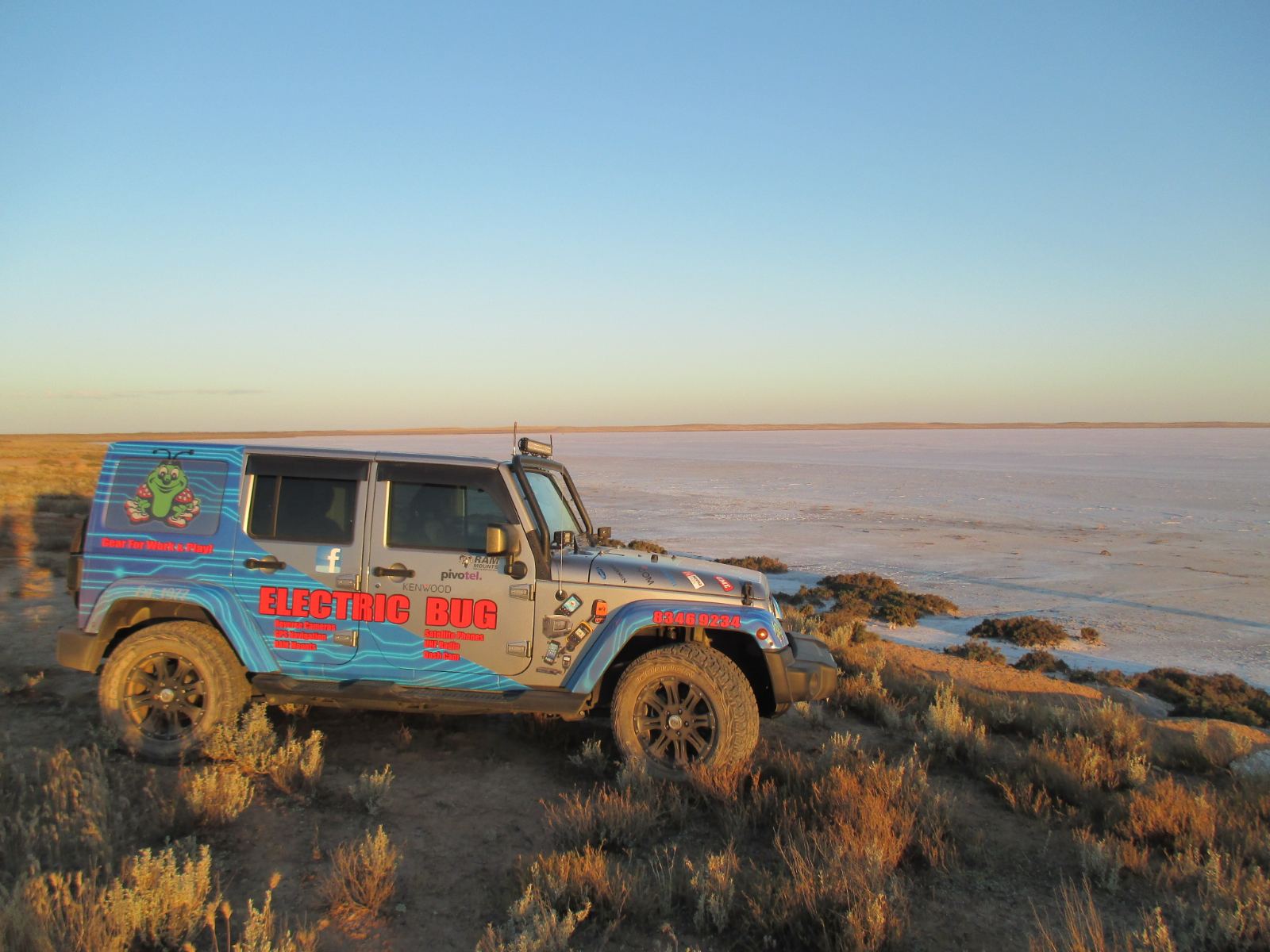
At Electric Bug, we offer both satellite phone and satellite communication device solutions for hire or purchase to keep you connected wherever your travels take you. Give us a call at 8346 9234 to learn more or to organise a hire for your next adventure!


When you’re out in the wilderness, far from the reach of cell towers, staying connected can be a challenge. That’s where satellite communication device come in. Whether you’re on a remote hike, sailing in the open ocean, or working in a distant location, devices like satellite phones, the Iridium GO!, and ZOLEO can keep you in touch with the world. In this blog, we’ll break down what these devices do, how they work, and why they’re essential for anyone who needs reliable communication in the most remote places.

Discover different types of Satellite communicators

Iridium 9555 Satellite Phone

A satellite phone, or satphone, is a mobile communication device that connects directly to satellites orbiting the Earth, rather than relying on terrestrial cell towers. It has a monochome screen and a keypad just like mobile phones in the old days.

The Iridium 9555 Satellite phone is straightforward and easy to use. Just make sure you have a clear view of the sky and satellites, extend the retractable antenna, dial the number, and press call. You can also send and receive SMS, access voicemail, save contacts in the phonebook, and customize your phone settings, just like you would with a regular mobile phone.

If you’re simply looking for a device that allows you to call and send messages in remote area, this will be your choice!

Iridium Extreme 9575 Satellite Phone

The Iridium extreme 9575 is a trusty companion for anyone needing worldwide coverage. It’s incredibly tough and dependable. It is an upgrade of the 9555, which adds on GPS and SOS button. Since satellite phones delay as they might not get immediate reliable satellite connections, the SOS button might safe your life!
The SOS button can be set up to initiate message/call to your emergency contacts. Besides, it also allows you to register with GEOS Emergency Response Center.

To Register with GEOS 

  1. Configure your device for use with GEOS.
  2. Navigate to www.geosalliance.com/iridium
  3. Fill in the registration form and your details. 

Iridium GO!

Iridium GO! is a hotspot device where you can pair it up with your smartphone/ tablet within 30m range. It can connect up to 5 device but only one device can use the satellite service at a time. It has its own speaker but there is no microphone, when there is an incoming call, both Iridium GO! and your device rings. Besides, it also has the SOS button, location tracking email and weather forecast function.

The Iridium GO! is more affordable than a satellite phone and compact enough to fit in your hand, be carried in a backpack, or mounted in a cabin, vehicle, or vessel for semi-fixed use.

Download the app and pair it up with Iridium GO! device:

Google Play: Download here

App Store: Download here

For Satellite email, you have to register through the portal and use another app:

To register: Register here

Google Play: Download here

App Store: Download here

Zoleo

The ZOLEO satellite communication device is a budget friendly and reliable device designed to keep you connected wherever you are. This compact and rugged device bridges the gap between your smartphone and satellite networks, ensuring seamless communication even in the most remote locations.

With ZOLEO, you can send and receive messages, share your GPS location, and access weather updates through a user-friendly app. ZOLEO doesn’t allow you to make calls, but does it really matters?

For ZOLEO, you can choose from their monthly plans as low as $32 per month with unlimited check-in messages. An optional Add-on Subscription for Location Share+ with only $7.95/month for automatic updates on location sharing to your contacts.

Download the app and pair it up with ZOLEO device:

Google Play: Download here

Apple Store: Download here

So which device should I choose?

Well, it depends on a few conditions. You might want to begin by asking yourself a few questions: Do you need to make regular phone calls, or just sending texts is fine? Would you rather use your own device? What’s your budget? How long is your trip? If you only need it for this trip, why not consider hiring one?

Comparison Chart for the devices:

Iridium Extreme
Iridium 9555
Iridium GO!
ZOLEO

Satellite Coverage

Global

Global

Global

Global

Call

Yes

Yes

Yes

No

Text messaging

Yes

Yes

Yes

Yes

Location tracking

Yes

No

Yes

Yes

Emergency SOS

Yes

No

Yes

Yes

Dimensions

5.51 x 2.36 x 1.06in

5.63 x 2.17 x 1.18in

4.5 x 3.25 x 1.25in

3.6 x 2.6 x 1.06 in

Display screen

Yes

Yes

Yes

No

Battery Life

4 hours talk,
30 hours standby

3.1 hours talk,
30 hours standby

7 hours talk,
16 hours standby

200 hours

Weather forecast

No

No

Yes

Yes

Don’t worry about the phone plans. We are one of Pivotel dealer and we can help you to get connected from month-to-month or 12 month plans! Our staff are extremely experienced, and can help you find the right device for your needs! Give us a call, we’d love to give you a hand!


Interested in some of the Satellite communication device mentioned? Check out these products online, or come in store to see our full range!

Satellite Communication device


Choosing the right UHF (Ultra High Frequency) antenna is key for making sure your voice gets where it needs to be heard. Whether you’re setting up walkie-talkies, or in-car UHF, knowing a bit about antennas can make a big difference. Read on to have UHF antennas explained! One big thing to understand is antenna gain.

What’s Antenna Gain?

Antenna gain is kind of like a finite resource —if the signal is sent far in one direction, the other directions are limited. The signal can either be pushed out equally in all directions in a sphere shape, called unity gain.

All antenna gain is measured against an isotropic radiation pattern. Antenna gain is all about how much extra power an antenna gives out in a specific direction compared to this isotropic pattern, and you’ll often see it measured in dBd, dB or dBi. Unity gain is 0dBd, or 2.1dBi. Higher gains such as 6 dBd/8.1 dBi will push signal out in an oval shape, rather than equally in all directions.

What dBi Antenna Do I Need?

Theres plenty of antenna gains available, for handhelds, in-car UHFs and more. If you’re wondering, does the length of my aerial matter? The answer is sort-of! Generally higher gain antennas will be tall, and lower gain will be short. But one is not better than the other, they both work in different scenarios.

  • City, Sand Dunes or Hills: If you’re in a city jam-packed with buildings and other obstacles, or other area where there is low line of sight, low-gain antennas are your go-to. They help your signal navigate through all the chaos.
  • Country Areas: Out in the countryside with fewer obstacles and longer distances to cover, high-gain antennas are the way to go. They’ll push your signal further horizontally, to help your transmissions travel far and wide.
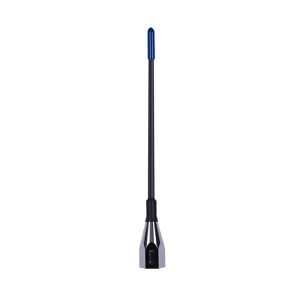
  • On-the-Go: For those going all over the place, you can always get an interchangeable whip setup. This allows you to unscrew your low gain antenna once you get out of the city, and put on your high gain antenna.

In-car UHF radios are very customisable with what type of antenna you use and where you put it, whereas handhelds can be a little more limited. Most handhelds have replaceable antennas, just search for the model of your two-way or connector type to see whats available.

Comparing Antenna Types – What antenna should I use with my UHF?

Now that you’ve decided on the best gain for your situation, let’s talk about some different keywords you might come across when searching for UHF antennas:

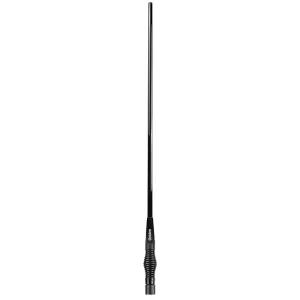
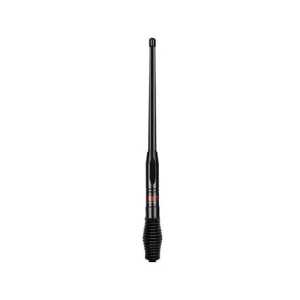
  1. Heavy Duty: Heavy-duty antennas are built tough to handle rough outdoor conditions. Get one on a spring base for some flexibility, and to minimise damage to the antenna from vibrations. These antennas are a great choice for bullbars or other areas where they may have to withstand some abuse.
  2. Elevated Feed: Elevated feed antennas are exactly what the name suggests. The signal radiating part of the antenna is up higher, which helps them avoid interference from stuff on the ground, or your car. This gives you a clearer signal if you have an antenna mounted somewhere low. It is also Ground Independent (see below).
  3. Ground Independent/Ground Dependent: Ground dependent antennas require mounting on a ground plane (a large flat metal plane, such as a car roof). If not mounted on a ground plane, signal is greatly impacted. Ground independent antennas can be mounted anywhere, bullbars, fenders or roof racks.
  4. Radome: Radome antennas have a protective housing to shield the antenna elements. This is generally made of plastic, fibreglass, or another material that does not interfere with the signal.
  5. Fibreglass: Good for 4WD vehicles and offroad use as they can withstand more vibration than a stainless steel antenna.
  6. Whip: The antenna whip is the long part of the antenna! It can often be separated from the base to allow you to swap out your whip for one of a different gain. Additional antennas are often sold as ‘Replacement Whips’.

What’s the best UHF antenna?

Picking the best UHF aerial is all about understanding what you need it for. Choose a low gain antenna with a spring base if you’re 4WDing through hilly areas, or a high gain elevated feed antenna if you’re travelling the outback and need to mount the antenna on the bullbar.

Before choosing an antenna, figure out what terrain you’ll be using the antenna in, and where you’re mounting your antenna. This will tell you what gain you’ll need, and what other features you’ll need, such as a heavy-duty whip, spring base or ground independence. Check out some of our favourite options below to get started, or use the filters when browsing antennas to narrow down your search.

Keep these tips in mind, and you’ll be good to go! If you’re a visual learner, this video from GME is a great resource. Remember, you can always give Electric Bug a call if you have any questions!

Medium/High Gain UHF Antennas

Ground Independent Antennas

Flexible Antennas


GME have just released the long-awaited XRS handheld; the XRS-660! Read on to learn about the new features, price, and how it compares to other options on the market.

First and foremost, the XRS-660 offers flexibility with its 5/1/0.1 Watt switchable transmission power, allowing users to adjust power levels based on their communication needs. This feature means you have high output power when you need it, but can conserve battery life by operating at a lower level when your companions aren’t as far away. Furthermore, the XRS-660 incorporates multiple power-saving modes, which allows the radio to ‘sleep’ during periods of inactivity. All of this adds up to hours of extra battery life!

Moreover, its rugged design, is backed by an IP67 Ingress Protection rating and MIL-STD810G certification. Thus ensures durability in the face of harsh conditions, making it a dependable companion even when you don’t treat it too carefully!

Equipped with a class-leading 2 Watt speaker, the XRS-660 UHF handheld delivers crisp and clear audio, ensuring you’re connected even in noisy surroundings. The transflective color LCD display enhances visibility in various lighting conditions, offering clarity and ease of use during operations. Meanwhile, the Scansuite™ digital scanning technology scans channels up to 2x faster, ensuring you don’t miss a transmission.

In terms of connectivity, the XRS-660 sets a new standard with Bluetooth® Wireless Technology, enabling seamless audio and data transmission. Through the XRS™ Connect smartphone application, you can update, control and customize you new XRS.

The built-in GPS receiver adds another layer of functionality, making the device location-aware and facilitating navigation in remote areas. This sets the XRS-660 on par with the XTRAK 50 Pro, released by Uniden last year. The two radios are very similar, with both having waterproofing, a long battery life and a 2 watt speaker.

The main differences to consider are the programmable buttons, and the switchable transmission power on the XRS, while the XTRAK offers transmission replay, and an OLED display. Uniden also offer the Xtrak 50, which is a model without GPS for those not needing this feature this can be a great way to keep costs down. It is also important to consider the XRS660 does not come with any accessories except the 240V charger, whereas the Uniden models include a full suite of accessories.

In terms of cost, the XRS 660 is shaping up to be one of the more expensive options on the market. At $549 RRP, it sits above similar models including the Uniden Xtrak 50 Pro at $449.95, the Xtrak 50 at $329.95, and the Icom IC-41PRO at $335.

The radio is looking like a great addition to the XRS range, and we can’t wait for it to arrive in store next week! If you’d like more information or to preorder the GME XRS-660 UHF handheld, give us a call!


iDataLink Maestro: Seamlessly retain and enhance your vehicle’s factory functionalities.

Aftermarket head units can be a bit of a headache! Retaining the use of factory features such as steering wheel controls, parking assist, climate control and voice commands can be difficult or impossible in certain vehicles. iDataLink Maestro can help!

Electric Bug are excited to announce we are now trained and authorised installers of iDatalink Maestro! Designed to bridge the gap between your car’s factory systems and the latest aftermarket upgrades, iDataLink Maestro opens up a world of possibilities for car enthusiasts and tech-savvy drivers alike. This system allows us to retain these factory features when updating your in-dash multimedia system. Additionally, it can even add features like engine performance data and programmable outputs when it’s paired with a compatible Kenwood, JVC, Sony, Alpine or Pioneer head unit!

We will pair a Maestro radio replacement module with an installation kit specific to your vehicle. Check out the iDatalink Maestro website to see what features can be added or retained in your car.

Read on for info on some of the iDatalink Maestro products we now stock, ready for installation into your vehicle!

1. Radio Replacement & Steering Wheel Control Retention Maestro RR, RR2 + ALP-MRR: These are revolutionary radio replacement interfaces that retain your vehicle’s factory features while adding enhanced functionality. Compatible with a wide range of car makes and models, these versatile modules ensures a hassle-free integration process.

2. Steering Wheel Control Retention – Maestro SW + SWHD1: Universal steering wheel control interfaces compatible with over 3000 vehicles 1991 and up. Maestro SW connects to most aftermarket radios to retain your vehicle’s original steering wheel functions. Additionally, assign a secondary (press & hold) function to the buttons of your choice. Compatible with most aftermarket radios equipped with an analog steering wheel input.

3. Dash Installation Kits and T-Harnesses: iDatalink manufacture a range of dash installation kits to make your radio install look and feel as if it just came out of the factory. To retain as many features as possible, we’ll also install an adapter or T-harness specific to your vehicle make and model.

iDataLink Maestro kits are now available in Australia, however due to the knowledge needed to install correctly, parts are only available to trained and authorised dealers. Therefore, we highly recommend you do your research! Electric Bug salespeople and installers are trained in iDataLink Maestro, and authorised to install. This means we are highly knowledgable, and can help you find out what features might be available to your specific vehicle. So get in touch!

Ready to get started?

Contact Us for your iDatalink Maestro Head Unit Installation.


In the modern world, staying connected is no longer a luxury; it’s a necessity. Whether you’re in a remote location, on a road trip, or simply suffering from poor mobile signal strength, the new Nextivity ROAM R41 mobile signal repeater is here to provide a seamless solution. The GO G41 is also here to solve your poor home mobile signal connectivity issues. With impressive improvements over its predecessor, the Cel-Fi ROAM R41 is taking mobile signal enhancement to the next level, offering users the flexibility to choose between service providers and the power of the latest 4th generation Nextivity proprietary IntelliBoost chip. Read on to learn more!

Choose Your Service Provider

One of the most significant advancements in the Cel-Fi ROAM R41 is its ability to switch between service providers. This feature empowers users to optimize their mobile signal experience by selecting the carrier that provides the best coverage in a given area, or to accomodate multiple users with different phone plans. It effectively eliminates the need to purchase multiple boosters for different carriers, as well as giving you the freedom to switch providers down the track.

Whether you’re with Telstra, Optus or Vodafone, the Cel-Fi GO G41 and ROAM R41 are designed to work with them all. It will also boost signal for those on secondary providers (MVNOs) such as Boost, Belong and Amaysim. This flexibility is a game-changer, particularly for businesses, travelers, or anyone travelling the vast area of Australia with weak mobile signal coverage.

celfi roam installation in vehicle

The Power of the 4th Generation Nextivity Proprietary IntelliBoost Chip

At the heart of the Cel-Fi ROAM R41’s impressive performance lies its 4th generation Nextivity proprietary IntelliBoost chip. This chip brings several essential benefits to the table:

1. Increased Signal Strength

The Nextivity IntelliBoost chip is designed to enhance mobile signal strength, enabling users to enjoy even faster data speeds, better call quality, and improved reliability than its GO predecessor. Whether you’re streaming video, making calls, or simply browsing the internet, you can expect a noticeable improvement in performance.

2. Intelligent Signal Monitoring

The Cel-Fi ROAM R41 features intelligent signal monitoring, ensuring that it amplifies your signal without causing interference or disruption to nearby cell towers. This advanced technology means you can enjoy boosted signals without negatively affecting the surrounding network. Thanks to this, Cel-Fi is the ONLY legal mobile repeater authorised for sale in Australia. Penalties apply if you are caught with an illegal booster, so beware other options you may find on the internet!

3. Faster Installation and Setup

The Cel-Fi ROAM R41 is designed to be user-friendly, with a quicker and more straightforward installation process. This means that you can set up your signal booster and start enjoying improved connectivity within minutes, without the need for extensive technical expertise. All ongoing settings such as carrier switching can be adjusted in the cel-fi app. However, for complicated vehicles or perfectionists, Electric Bug is here to ensure you get the most out of your celfi installation!

Electric Bug is your Cel-Fi Dealer!

Electric Bug now installs Cel-Fi ROAM R41. We can pair your signal booster with the best antenna for the job, and ensure an unobtrusive, clean installation in your car, 4WD, truck, van or caravan. Installation takes only a few hours!

Give us a call or get in touch to get started!

Check out Electric Bug’s range of new Cel-Fi online or in-store!


Introducing the New Blackvue DR-770X and DR-970X Dashcams: Your Road Safety Upgrade

Upgrade your road safety game with the latest Blackvue DR770X and DR970X dashcams! These cutting-edge devices come packed with new features that’ll make your driving experience safer and more convenient. Both come in front-only and front and rear dash cam models, so you can protect your car the way you want to.

  1. Easy Manual Recording: Say goodbye to the hassle of proximity sensors! The improved manual recording feature lets you capture important moments at the touch of a button with greater accuracy.
  2. Crisp Image Quality: Enjoy clear and detailed recordings, thanks to the enhanced image processor in both front and rear cameras. You won’t miss any vital information on the road.
  3. Extreme Recording Mode: When things get intense, the “Extreme” recording mode steps up with higher frames per second (FPS) to ensure you capture every crucial moment flawlessly.
  4. More Storage, Same Price: Get more space for your recordings with a minimum 64GB SD card, all while keeping the price point similar to the previous model.
  5. Full HD Wide View: Relive your journeys in full HD with a wide-angle view from both the front and rear cameras.
dr770x dashcam

6. Always On: With the included hardwiring cable, your Blackvue dashcam can record even when your car is off, providing peace of mind without worrying about draining the car battery. The Blackvue DR770X and DR970X have inbuilt low voltage shutoff, so no nasty surprises if you leave your car for a few days! For a quick and easy installation, you can also plug it in via the cigarette socket.

7. Instant Alerts: Stay informed with push notifications for detected incidents, so you can act quickly if needed.

8. Easy Event Management: Your Blackvue automatically tags and safeguards event footage, preventing it from being overwritten. Your dashcam will also log speed and GPS data for all events.

9. Remote Live View: Keep an eye on your car with the ability to view live events remotely via the Blackvue cloud and Blackvue app, which keeps security in the palm of your hand.

DR770X vs DR970X

Wondering how the DR770X stacks up against the DR970X? There are a few key differences between the two dash cameras. The DR970X dashcam offers full 4K video, while the 770X dashcam has full HD. Another difference is the wide-angle lens. While the lens on the DR770X is already large at 139-degree viewing angle, the DR970X takes that a step further with a huge 155 degree angle. You’ll also be able to see your videos much faster, with 5GHz Wi-Fi downloads.

The Blackvue DR-770X and DR-970X dashcams offer more than just recording; they provide advanced features to make your drives safer and more enjoyable. Upgrade your road safety today with these top-notch dashcams!

Dont forget, Electric Bug can install dash cams in Adelaide! If you’re interested in installing a new Blackvue in your 4WD, motorhome, truck, bus or vehicle, give us a call!

Check out the new Blackvue dashcam range below!


Everything you need to know about Thuraya, Inmarsat and Iridium sat phones!

UPDATE 3RD MAY, 2024:

The Thuraya Satellite servicing Australia has suffered a catastrophic failure, leading Thuraya to suspend their services indefinitely. If you have a Thuraya phone, you can no longer use it to make or receive calls, or to call 000. If you are with Pivotel you can transfer your phone number over to a new Iridium or Inmarsat service. See the full update from Pivotel here. As explained below, the Iridium network has a large number of satellites, making an event like this unlikely.

What’s the Best Satellite Phone?

There are many factors that go into determining the right sat phone for you! For complete reliability, and dust/splashproofing choose an Iridium 9575! If you need a cheap handset for short trips in the NT, choose the Inmarsat Isat2, and if you need email and weather updates, the Iridium GO! is for you.

If you don’t need voice calling, you might even consider a low-cost satellite messenger. Satellite messengers from Zoleo, SPOT and Garmin offer two-way messaging, SOS and even weather updates for an affordable price.

Satellite Phone Cost

Sat phone price varies based on factors such as the hardiness of the phones construction, the features, and the network. The main factor affecting cost is the coverage provided by the sat phone network. Therefore, networks with the least coverage offer the cheapest handsets starting around $1000, while complete coverage across Australia can cost around $2000.

Satellite phone cost per month varies depending on your plan. Most services offer a month-to-month plan option, however these can incur an activation fee. Satellite communicator plans can start at as little as $32 per month. Pivotel also offer a helpful service suspension option, for a small fee you can suspend your service but keep your SIM and phone number when not in use.

Do Sat Phones Work Everywhere?

The short answer: sort of! Sat phone service is line of sight, so you are limited based on where the satellite is located compared to you. If you are on one side of a mountain and the networks only satellite is on the other side, you’re out of luck! Therefore, it is important to consider where you will be travelling when choosing a satellite phone. Each network sells specific phones locked to their network so there is no switching providers once you’ve bought your phone.

Choosing a network with more than one satellite can also be a good idea as if one satellite fails, there are more available to continue to provide coverage.

Thuraya Satellite Phones – No longer available.

UPDATE: As of May 2024, the Thuraya network is no longer operational in Australia. In the future, Thuraya may consider launching a new satellite in the region, but this will not happen for at least a year. If you are affected by the outage, contact your provider or retailer for support.

Thuraya is the cheapest satellite phone network available. The Thuraya network has one satellite near Australia, located to our north-west over Singapore. The satellite is geostationary, meaning if you are in an area without signal, this will not change unless you move. The satellite location means you will have better coverage in northern states such as WA, NT, and northern QLD and SA. In addition, coverage in VIC, NSW, and Tasmania is very limited.

Electric Bug recommends the Thuraya XT-LITE, rather than the SatSleeve model. This is because when using the SatSleeve, you need to make sure two devices are charged, working, and connected. If you drop your smartphone in a puddle, your SatSleeve won’t work either!

The SatSleeve or Hotspot are great if you want to use your Android, Samsung or Iphone as a satellite phone, or need to use your phone inside a caravan or other structure. You can place the SatSleeve outside, and use your smartphone to make satellite phone calls inside!

Inmarsat Satellite Phones

The Inmarsat network is similar to Thuraya in that that have only one geostationary satellite near Australia. The Inmarsat satellite is more centrally located, above PNG. This means that QLD, the NT, northern WA, SA and NSW have good coverage. Service is available in VIC and TAS, but can be patchy.

This phone offers an SOS button and location services, as well as IP65 splash resistance and a huge 160 hours of battery life on standby, making it a great all round choice. Unlike most other satellite phones, the Inmarsat IsatPhone2 can actually notify you of incoming calls with the antenna stowed.

Plans starting at: $43/month

Purchase if: You travel throughout WA, NT, QLD and northern and central Australia, and want a reliable satellite phone. You don’t expect to be making many incoming or outgoing calls. You need a phone that can receive calls with the antenna stowed.

Iridium Satellite Phones

Need a satellite phone that works everywhere? Choose Iridium. Iridium is the most reliable global satellite network. This network has 66 satellites constantly orbiting the earth. Therefore in the unlikely event that you are out of range of a satellite, within a few minutes a satellite will move within range. If you are wanting the top satellite phone, choose Iridium.

Iridium satellite phone plans are the most expensive, however you are paying for the unrivalled coverage. Iridium also offer a range of models, including the reliable Iridium 9555, the waterproof, GPS/SOS enabled Iridium Extreme, and the Iridium GO! which enables voice calling, SMS and email right from your smartphone.

Plans starting at: $65/month

Purchase if: You need an easy to use handset with extremely reliable coverage across all of Australia.

Purchase if: You like to use your smartphone for calls. You need light email and SOS capability, and weather updates.

Purchase if: You need a very hardy, shock, dust and splash resistant device. You need SOS capability.

Hire if: You only need a satellite phone for the short term, and can’t justify the cost of purchasing new.

Satellite Phone Batteries, Sat Phone Plans, Satellite Phone SIM Cards and more!

Electric Bug stock all the accessories you need for your satellite phone. We have batteries, chargers, international adapters, cases and more to suit your Iridium, Thuraya and Inmarsat handsets.

Authorised Pivotel Dealer

Pivotel is Australia’s largest satellite communications provider. They only deal in satellite communications, so they know what they are talking about! Electric Bug are a licenced dealer for Pivotel, so we can assist with plan advice, satellite phones, and SIM card connections, either in-store or over the phone.

Need accessories, SIM card connections, hire or just some advice?

Get In Touch


Whats the difference between the XTRAK 80 and the XTRAK 80 Pro?

Uniden’s new range of XTRAK Pro radios is finally available to purchase! As you may have noticed, Uniden has released a few different models of their new offering, the XTRAK 80 and the XTRAK 80 Pro. You might be wondering, what is the difference between the XTRAK 80 and the Pro model? Read on to find out!

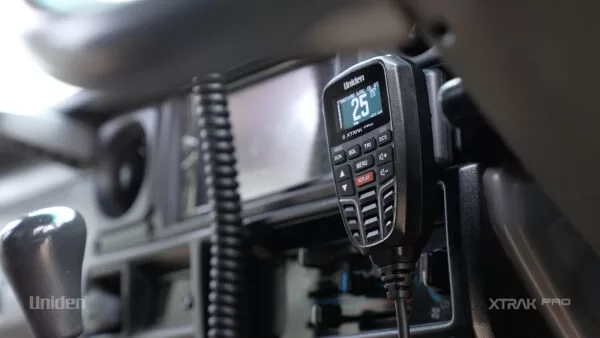
Both models offer a huge range of great features not found on many previous Uniden offerings. The backlit keypad and anti-glare OLED display make it easy to see, day or night. The remote mic also has a powerful 2 Watt speaker built in for maximum sound output. The new magnetic mic holder is a great feature, making it easy to securely mount your microphone when not in use.

The XTRAK range also offers Uniden’s MasterScan® technology. This means if your channel is interrupted by other users, you and all radios in your group will seamlessly jump to a new empty channel, to allow for uninterrupted communication.

Another feature available on both models is Uniden’s innovative one touch instant replay. This allows you to record and replay up to 6 minutes of recently received communications, meaning you won’t miss an iportant transmission again! The Pro version allows recorded transmissions to be played through the app, as well as the radio itself.

Now for the key differences in the XTRAK range; App connectivity and Location Sharing. Location Sharing is a great feature that allows you to share your position without any mobile service. Share a spot you’ve found with others you are travelling with, or use your XTRAK 50 Pro handheld to keep track of the kids when they’re out adventuring.

The app allows you to view location sharing features, as well as control radio settings and listen to your audio recordings. The Bluetooth connectivity of the Pro also allows you to divert audio to alother Bluetooth enabled device, such as an earpiece.

At $549.95, the XTRAK 80 Pro retails for $100 more than its XTRAK 80 counterpart at $449.95. If location sharing is an important feature for you, this could be a great deal! The XTRAK 80 Pro is perfect for families and groups, as the location sharing makes finding each other easy and instant replay means noisy cabins are no issue! The pro version also pairs seamlessly with the XTRAK 50 Pro, great for keeping track of the kids while they’re exploring the campsite.

If you’re wondering whether you should choose the XTRAK 80 vs XRS-370C, this is mostly a matter of personal preference between GME and Uniden. Both have very similar features, such as transmission playback and OLED screen. GME has commited to releasing new features for the XRS yearly, which ensures your radio is up to date. However, the XTRAK has a price advantage! If you need help deciding, give Electric Bug a call on 8346 9234 or shop below! Ask us for a deal, on the XTRAK 80 range using the website chat function or by phone or email, we’re happy to help.